
Control-Flow-Flattening

Control Flow Graph
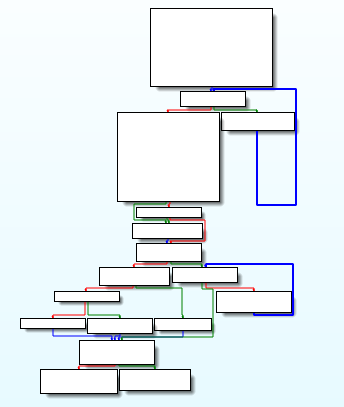
The “Graph”, an example of which you see in the image, represents the flow of the code and all the paths it can go through. It is obvious that they help us to read the codes more easily.
But now we’ll make it harder to read.
Control Flow Flattening
In this content we are aiming to obfuscate our code to make reverse engineers deserve their jobs. :))
Simply we change the code flow with switch case statement.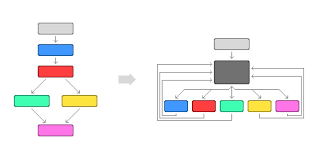
Basically, the process we will undertake corresponds to the one depicted in the figure. This makes the program flow more difficult to understand.
Because when someone wants to solve it, they need to record every situation to follow the flow. For example string, counter(key) but sometimes there can be junk code so be carefull about it.
Let’s look at the code
Code
    int key=7;
    int escape=1;
    while (escape) {

        switch (key) {
        case 1:
            if (dosya.size() == 3)
                key = 4;
            dosya += r;
            break;

        case 3:
            if (dosya.size() == 1 )
                key = 5;
            dosya += n;
            break;

        case 4:
            if (dosya.size() == 4)
                key = 5;
             else if (dosya.size() == 7)
                key = 8;
            dosya += a;
            break;

        case 5:
            if (dosya.size() == 2)
                key = 1;
            if (dosya.size() == 5)
                key = 6;
            dosya += c;
            break;

        case 6:
            if (dosya.size() == 6)
                key = 4;
            dosya += k;
            break;

        case 7:
            if (dosya.size() < 1)
                key = 3;
            dosya += u;
            break;

        case 8:
            if (dosya.size() == 8)
                key = 9;
            dosya += b;
            break;

        case 9:
            if (dosya.size() == 9)
                key = 10;
            dosya += l;
            break;

        case 10:
            if (dosya.size() == 10)
                key = 13;
            if (dosya.size() == 13)
                key = 11;
            if (dosya.size() == 15)
                escape=0;
            dosya += e;
            break;

        case 11:
            if (dosya.size() == 14)
                key = 10;
            dosya += x;
            break;

        case 12:
            if (dosya.size() == 12)
                key = 10;
            dosya += dot;
            break;

        case 13:
            if (dosya.size() == 11)
                key = 12;
            dosya += 51;
            break;
        }
    }
This is a basic example to understand CFF. At the background I already defined letters as char according to ASCII Table’s decimal value.
Of course it can be solved easily. Difficulty is depending to case’s state and number.
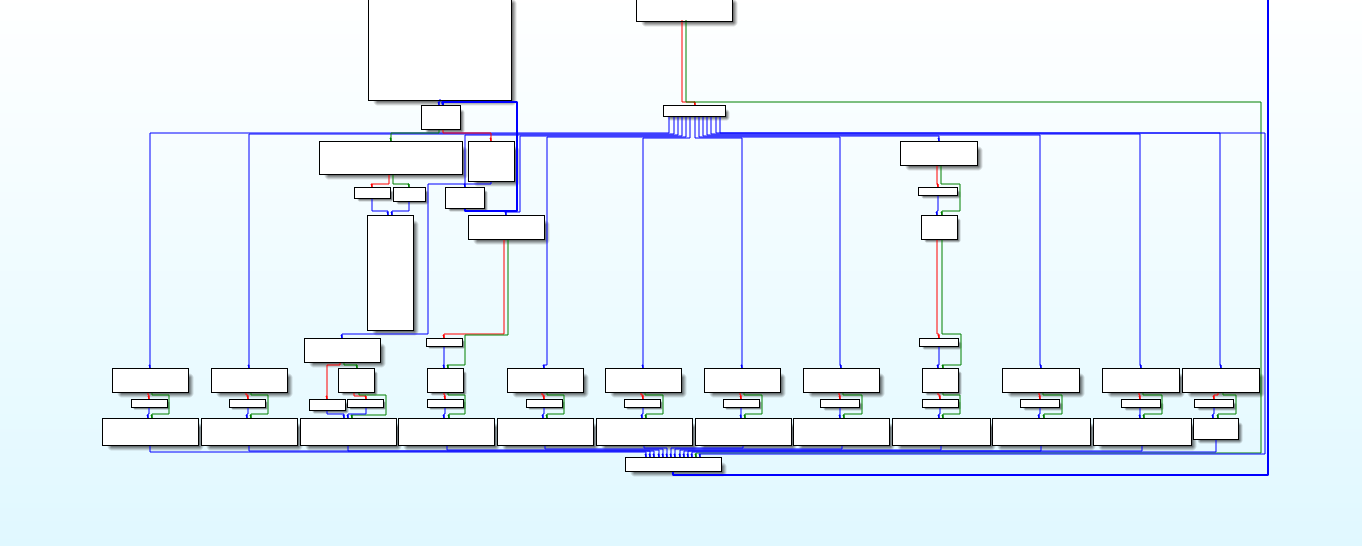
When you want to look at the compiled code, this scene will be waiting for you :))
If you follow the order you can easily reach the solved statement of string.
~Experience does not make mistakes.
